Already have a My Archodia account:
You can create a service support ticket directly from your My Archodia portal account. If you already have an active service or project running, we recommend you use the discussion section under the active service or project. More details on how to use the discussion menu can be found here.
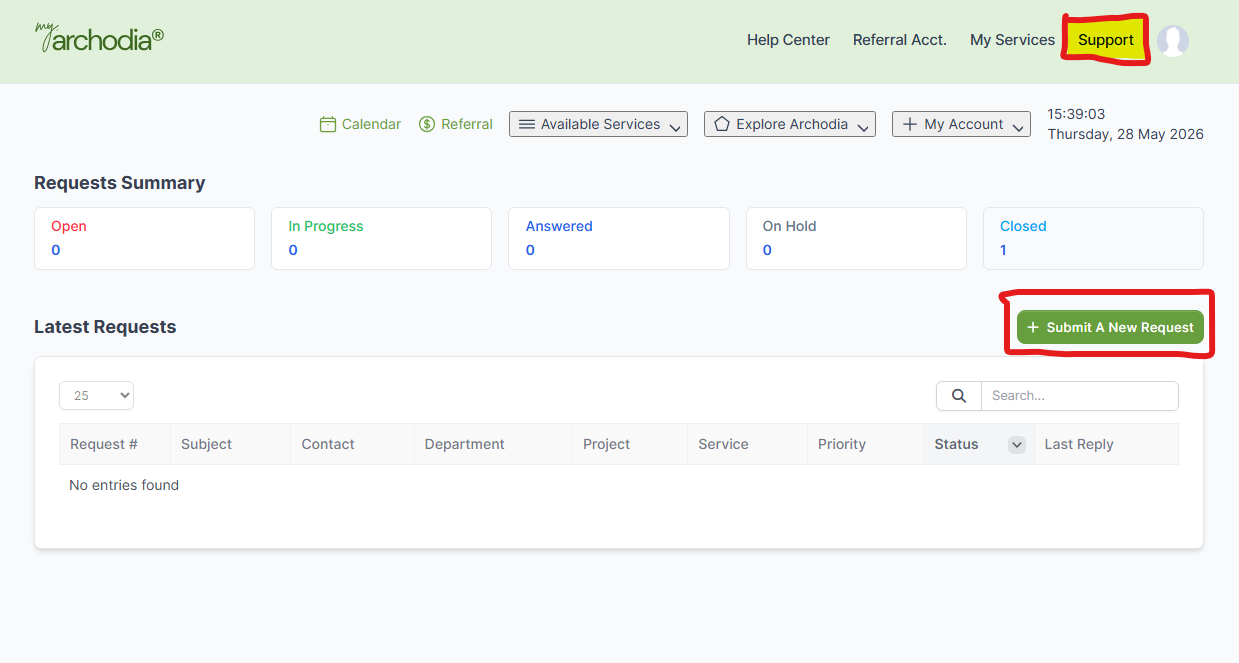
To create a service support ticket:
- Log in to your account here: https://my.archodia.com/authentication/login
- Select the "Support" menu tab
- Click on the "+Submit A New Request" button
- Fill the form to request a service or support

Don't have a My Archodia account:
Don't have an account yet? No worries. You can still open a service enquiry ticket via our contact page here, and we will get back to you as soon as possible.
You can always visit archodia.com to see all our available services.
Still need help? Please get in touch with us here, and we will respond shortly.